Every app on your phone,
request by request.
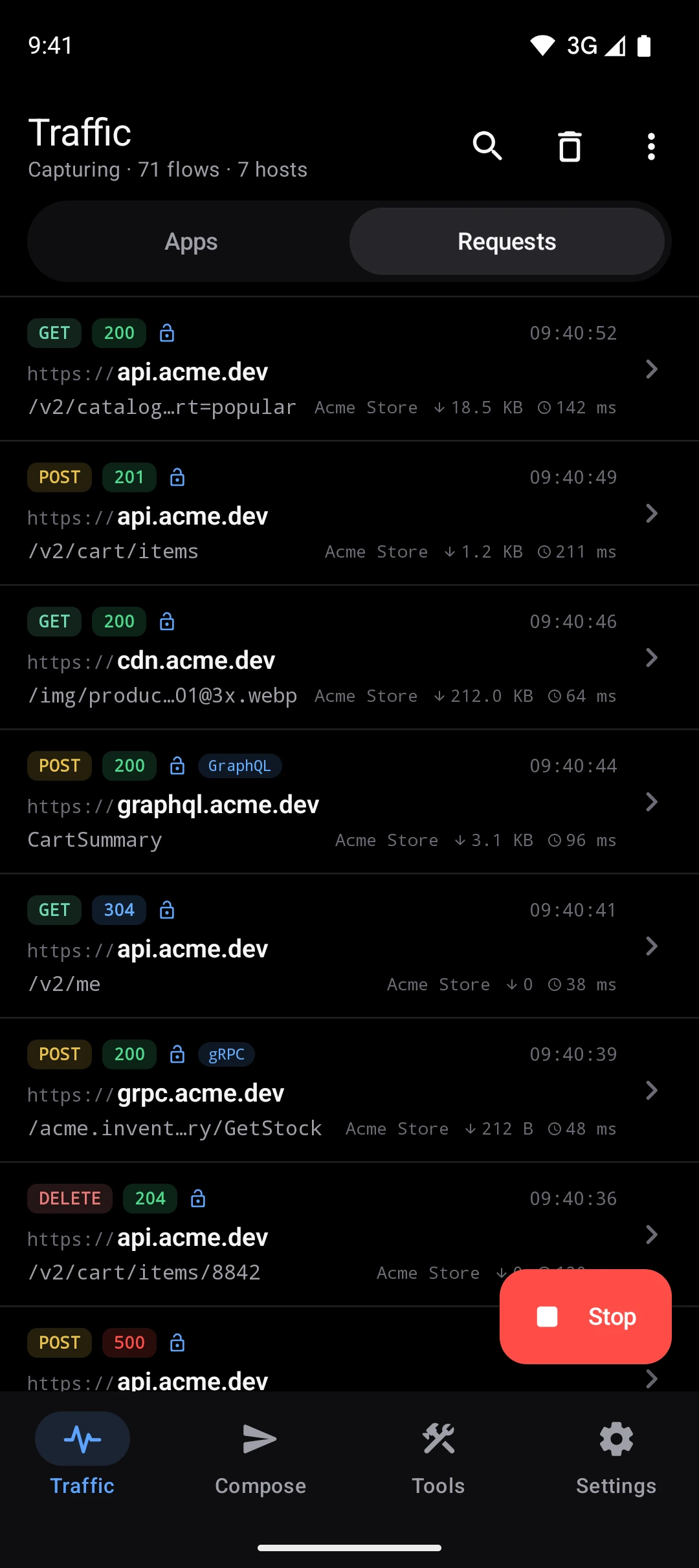
Capture, decrypt and debug on the Android phone itself. WireLens shows which app made each request, and you do not need a computer or a cable.
Coming to Google Play
How setup worksAndroid 10 or later · Free to capture and inspect
Set up once, on the phone.
Three steps: allow the local VPN, install the certificate, then choose what to decrypt.
A VPN that stays on the phone
Android asks once whether WireLens may set up a VPN. It runs on the phone, and each request goes straight on to the server it was meant for.
A certificate made on your phone
WireLens saves its certificate to Downloads and the Setup Guide shows where Android installs it. The checklist ticks itself when the certificate is trusted.
Decrypt what you choose
Long-press a host and choose Enable SSL Proxying. Hosts you have not chosen pass through untouched, including apps that pin their certificates.
The tools are on the phone too.
Everything below works on the phone by itself.
Traffic by app
The list opens on the apps that are talking. Open one for its domains and requests, or limit capture to the apps you pick.
The full inspector
JSON trees, images, protobuf, gRPC and GraphQL, with headers, cookies, TLS details and timing.
HTTP/2 and HTTP/3
Keeps apps on HTTP/2 over TCP by default. Decrypting HTTP/3 over QUIC is an experimental switch.
WebSocket frames
Every message in both directions, live, with payloads that open like bodies.
Breakpoints
Pause a request or a response, edit it, then continue or abort.
Answer from the notification
A paused request shows up as a notification with Continue, Abort and Edit, so the app you are testing stays in front.
Map Local and Map Remote
Answer from local content, or send a request to staging, without a rebuild.
Rewrite
Change the query, headers, URL, status and bodies on matching traffic.
Scripting
onRequest and onResponse JavaScript, with the same API as on the Mac.
DNS Spoof
Point a hostname at a new server for every app on the phone.
Block List and Network Conditions
See how your app behaves when a service is unreachable or the network is slow.
Compose
Build a request, import a cURL or a Postman collection, or edit and resend one you captured.
What Android decides
- Which apps can be decrypted. Since Android 7 an app trusts a certificate you installed only if its developer opted in. Browsers do. Your own app does with a few lines in its debug build.
- Pinned apps refuse any debugging proxy. WireLens passes them through untouched, and they keep working.
- One VPN at a time. Starting capture pauses another VPN, and the other way round.
Share what you caught
Export a capture as HAR, copy a request as cURL, or share it to Team Workspace, where teammates open it in a browser, on a Mac or on their own phone.
Team WorkspaceBetter with a Mac
Point the phone's Wi-Fi proxy, or an emulator, at WireLens for Mac to read it on a big screen with every Mac tool.
Capture Android from the MacPro on Android is an in-app purchase through Google Play, monthly, yearly or once. Pricing

Start on your Android phone.
Install WireLens, trust its certificate once, and every request your apps make shows up in the list.
Coming to Google Play
Buying for a team? See team pricing or write to finance@wirelens.app.